Have you ever turned on your TV only to find that the sound is working perfectly, but the screen remains completely black? This is one of the most common issues faced by Smart TV and LED TV owners. Whether you own a Sony, Samsung, LG, Mi, OnePlus, TCL, Vu, Panasonic, or Haier TV, this problem can occur due to several hardware or software-related reasons.
In many cases, the issue can be resolved with a simple troubleshooting step. However, if the problem is related to the display panel, backlight, T-Con board, or motherboard, professional repair may be required.
If you’re looking for reliable TV Repair in Bhubaneswar, understanding the possible causes can help you explain the issue to a technician and avoid unnecessary repair costs.
Why Is My TV Screen Black but the Sound Works?
When your TV produces audio but no picture, it means the television is receiving power and processing audio signals correctly. The problem usually lies within the display system rather than the speakers or power supply.
Several components work together to display an image, and if any one of them fails, your TV may have a black screen while the sound continues to function.
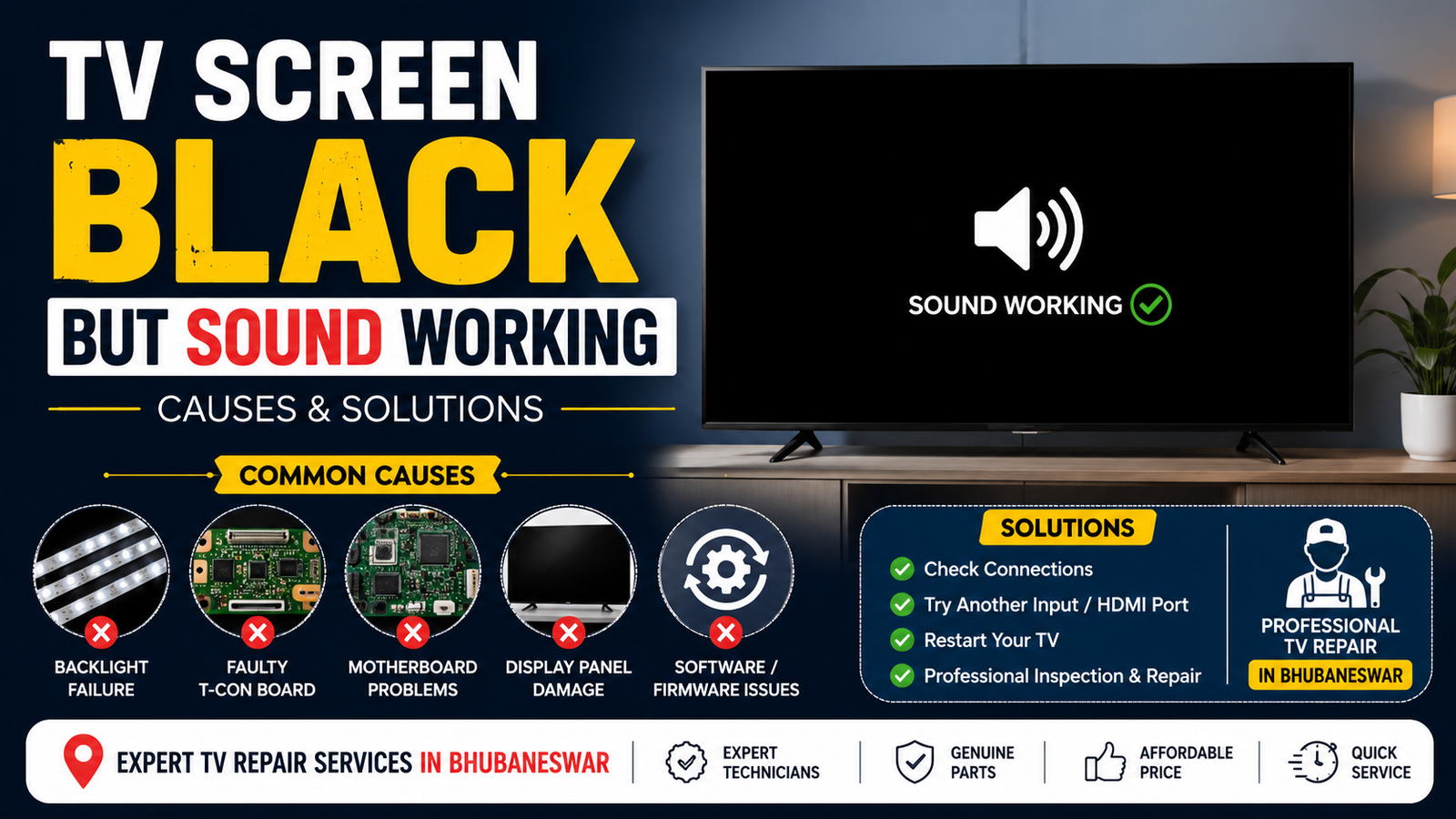
Common Causes of a Black TV Screen
1. Backlight Failure
One of the most common causes is a damaged LED backlight. Modern LED TVs use backlight strips to illuminate the display. When these strips fail, the screen appears black even though the TV is still operating normally.
Signs of backlight failure:
- Audio is working normally.
- The screen is completely black.
- You may notice a faint image when shining a flashlight on the screen.
2. Loose or Damaged Internal Display Connections
Internal ribbon cables connect the display panel with other electronic components. If these cables become loose due to movement, vibration, or wear, the screen may stop displaying images.
Only trained technicians should inspect these internal connections.
3. Faulty T-Con Board
The Timing Control (T-Con) board controls how images are displayed on the screen.
If this board fails, your TV may experience:
- Black screen
- Half display
- Vertical or horizontal lines
- Flickering images
Replacing the T-Con board often restores normal picture quality.
4. Motherboard Problems
The motherboard processes video signals before sending them to the display panel.
A faulty motherboard may cause:
- Black screen
- TV restarting repeatedly
- No HDMI display
- No picture after startup
Professional diagnosis is recommended before replacing the motherboard.
5. Display Panel Damage
Unfortunately, panel damage is one of the most expensive TV repairs.
Common reasons include:
- Physical impact
- Liquid damage
- Manufacturing defects
- Internal panel failure
If the display panel is damaged, replacement may be required depending on the TV model and repair cost.
6. Software or Firmware Issues
Smart TVs occasionally develop software-related glitches after updates or unexpected power interruptions.
Symptoms include:
- Black screen after startup
- Logo appears and disappears
- Apps open but no display
- Screen remains black after software update
Updating or reinstalling the firmware may resolve the issue.
How to Fix a TV Screen That Is Black but Has Sound
Before calling a technician, try these safe troubleshooting steps.
Restart the TV
Turn off the TV and unplug it from the power outlet.
Wait for approximately one minute before plugging it back in and turning it on again.
Sometimes this simple reset clears temporary software glitches.
Check the HDMI Source
If you’re using a set-top box, gaming console, or streaming device:
- Disconnect and reconnect the HDMI cable.
- Try another HDMI port.
- Test with a different HDMI cable if available.
A faulty HDMI connection can sometimes create a black screen.
Perform a Flashlight Test
In a dark room:
- Turn on the TV.
- Shine a flashlight at an angle close to the screen.
If you can faintly see images, the backlight is likely defective.
Verify Input Settings
Ensure the correct input source is selected.
Many users accidentally switch to an unused HDMI port, resulting in a black screen.
Power Cycle Connected Devices
Restart connected devices such as:
- Set-top box
- Fire TV Stick
- Chromecast
- Gaming console
Sometimes the problem originates from the external device rather than the television itself.
What You Should Not Do
Avoid these common mistakes:
- Do not hit the TV.
- Do not repeatedly switch the power on and off.
- Do not open the TV cabinet without proper technical knowledge.
- Do not continue using the TV if you notice burning smells or overheating.
Improper handling may increase repair costs.
When Should You Call a Professional Technician?
Professional repair is recommended if:
- The flashlight test confirms backlight failure.
- The screen remains black after restarting.
- The TV has suffered physical damage.
- The motherboard or T-Con board appears faulty.
- The TV repeatedly restarts.
- There are visible display lines along with the black screen.
Experienced technicians use specialized equipment to identify the exact cause before replacing any components.
If you need professional TV Repair in Bhubaneswar, timely diagnosis can help prevent further damage and restore your television safely.
Can This Problem Be Repaired?
Yes. In most cases, a TV with sound but no picture can be repaired.
The solution depends on the faulty component:
- Backlight replacement
- T-Con board replacement
- Motherboard repair
- Internal cable repair
- Display panel replacement (if necessary)
A proper inspection is essential before deciding on repairs.
How to Prevent Black Screen Issues
You can reduce the chances of display problems by following these maintenance tips:
- Use a high-quality voltage stabilizer.
- Protect the TV from sudden power fluctuations.
- Keep ventilation areas clean.
- Avoid placing heavy objects on the screen.
- Update Smart TV software regularly.
- Schedule periodic servicing if the TV is heavily used.
Proper care can significantly extend your television’s lifespan.
Why Choose Nice Vision for TV Repair in Bhubaneswar?
At Nice Vision, experienced technicians diagnose and repair all major LED and Smart TV brands using professional tools and quality replacement parts. Whether your TV has a backlight issue, motherboard fault, display problem, or software error, the team focuses on accurate diagnosis and reliable repairs to get your television working again as quickly as possible.
Frequently Asked Questions
Why is my TV screen black but I can hear sound?
The most common reasons include backlight failure, a faulty T-Con board, motherboard issues, or display panel damage.
Can a black TV screen be fixed?
Yes. Most black screen issues are repairable after proper diagnosis. The repair method depends on the exact faulty component.
Is backlight replacement expensive?
Backlight replacement is generally more affordable than replacing the entire display panel, though the cost varies by TV size and model.
Should I replace my TV or repair it?
If the repair cost is reasonable compared to the value of the television, repairing is usually the better option. A technician can help you make an informed decision after inspection.
Where can I get professional TV Repair in Bhubaneswar?
If your television has a black screen while the sound is still working, choosing an experienced local TV repair service ensures accurate diagnosis, quality repairs, and faster turnaround.
Final Thoughts
A TV screen that stays black while the sound continues to work is frustrating, but it doesn’t always mean your television is beyond repair. In many cases, the issue is caused by a faulty backlight, T-Con board, motherboard, or software glitch rather than complete panel failure.
Before attempting any repairs, perform the basic troubleshooting steps mentioned above. If the problem persists, seek professional assistance to avoid further damage. For homeowners searching for dependable TV Repair in Bhubaneswar, prompt diagnosis and expert repair can often restore your TV to perfect working condition without the need for a costly replacement.